CUSTOM HEADWEAR / BUYER GUIDE
Custom Hat Product Photos: A Listing Image Handoff Checklist
Plan custom hat product photos with a clear handoff for views, sample references, files, edits and permitted uses before accepting images for your listing.
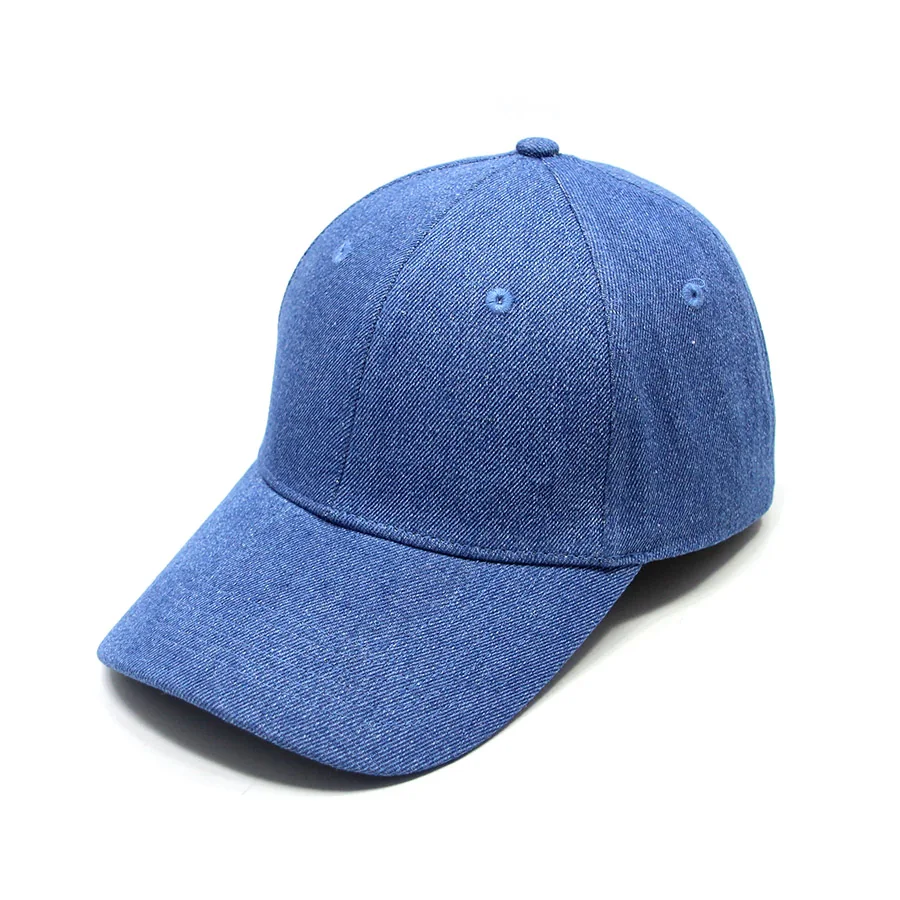
A custom hat product photo handoff should name the images your team needs, the files it expects and the intended use of each image. “Send some product photos” leaves the views, editing and delivery scope undecided. First agree who will supply the images, what work that person or business accepts and which requirements remain open.
Keep this image brief separate from manufacturing instructions. The custom hat tech pack identifies the design and sample references; an image handoff defines the assets being requested. Neither document establishes that photography, editing or publication rights are included in a hat order.
Start with the intended use
Name where each image will appear before specifying its files. A brand website, retailer catalogue, marketplace listing and campaign can need different views or exports. Record the actual requirements supplied by the publishing team instead of assuming one universal image size or platform rule.
Identify the buyer contact who can resolve image questions and approve the final assets. If another business will receive or publish the files, include that intended recipient in the usage discussion.
Match each requested view to a named hat
Give every requested image a view ID and a specific product reference. Start with the headwear category, then name the variant, color reference and physical sample revision.
Describe the views you actually need: for example, an overall angle, straight front, side, rear, inside or a close view of a named detail. These are options for the brief, not a mandatory shot count. For a side view, identify the wearer’s left or right; for a detail, name its location. State how the hat should be supported and whether a prop may appear.
Label a 3D cap studio concept separately from photographs of physical samples. A concept view does not document the appearance of an actual hat.
If the sample changes after images are made, identify the affected views and ask which files need replacement. Do not silently combine photographs of different revisions into one product set.
Write down the delivery requirements
Specify each file requirement with its source and decision owner. Use a small record for every view or intended export:
| Field | What to agree |
|---|---|
| Identity | View ID, hat variant and sample revision |
| Presentation | Background, camera direction, support, visible areas and crop |
| File output | Required format, pixel dimensions or aspect ratio, color profile and transparency where applicable |
| File naming | Product/view identifiers, edit version and current export name |
| Delivery scope | Requested exports, whether source or editable files are included, recipient and agreed handoff method |
Ask the image provider to confirm what can be supplied. A request for an editable file or transparent background is not confirmation that it is included. Keep source files, review previews and final exports distinguishable so the publishing team can identify the current deliverable.
Agree edits and permitted uses separately
Record image changes and usage permission as separate decisions. Identify the cleanup or edits requested, such as crop, background replacement or removal of a temporary prop. State which changes need another review.
Check that editing has not changed a product feature the image should describe, such as a seam, logo position or brim outline. Approval of image color does not replace physical shade approval for the hat. The customization brief remains the place to discuss the actual design and decoration requirements.
Record who can authorize use of the photograph and any visible artwork or branding. Ask which destinations, recipients and uses are permitted, including onward supply to a retailer or use in advertising if requested. An image being downloadable does not settle permission to publish it. Keep an unanswered use request open rather than treating file delivery as approval.
Review the delivered assets against the brief
Check the actual files before accepting the image handoff. Match every view ID to its hat and sample reference. Open the delivered exports and compare format, dimensions, crop, background, visible areas and edit version with the agreed record. A preview in a message does not establish which files were delivered.
Use this empty acceptance record for each asset:
View/export [ID] · Hat/sample reference [ ] · Delivered filename/version [ ] · Requirements checked [ ] · Missing file or correction [ ] · Usage confirmation [reference or open] · Asset decision and owner/date [ ].
Accept only the asset and uses actually reviewed; record missing exports or unresolved permissions separately. Retain superseded versions in the decision history and clearly identify the files approved for the named destination. This closes an image-delivery question, not physical sample approval or approval of an unseen production order.
To discuss a Rongtai project, send Alex your current hat brief and image-scope questions. Include the product direction, named sample or design reference, intended image use and the requirements you know. Ask which image arrangements, if any, can be agreed for that project.